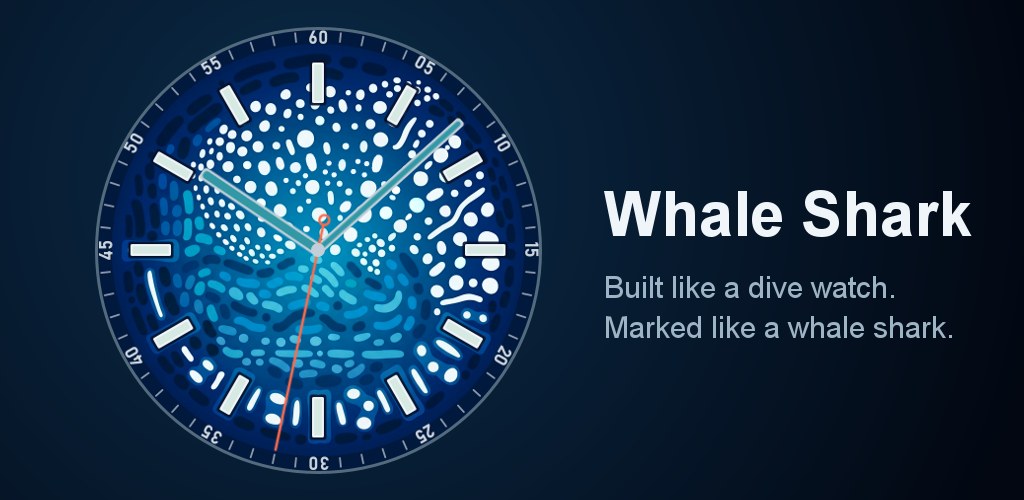
I’ve been diving since 2011 and always wanted a whale shark on my wrist, so I made a whale shark watch face for Wear OS. The spots on the dial are the whale shark. During the day it looks like a dive watch, and when the screen dims all the markings glow so you just see the shark.

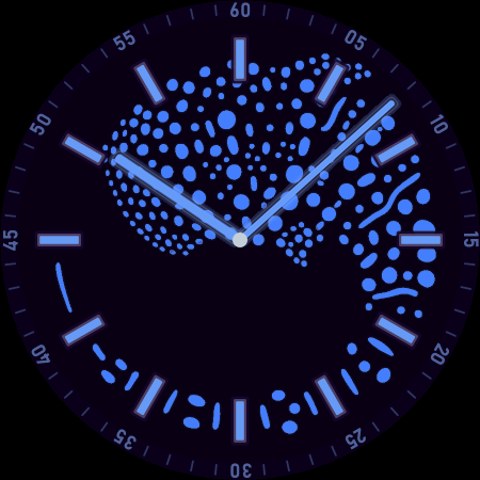
Glows in the dark
Every marking glows, like the lume on a real dive watch. In always-on mode the rest of the dial goes dark and the whole whale shark shows up. Each theme glows in its own color, hands included. The complications turn off when the screen dims so nothing covers the shark.
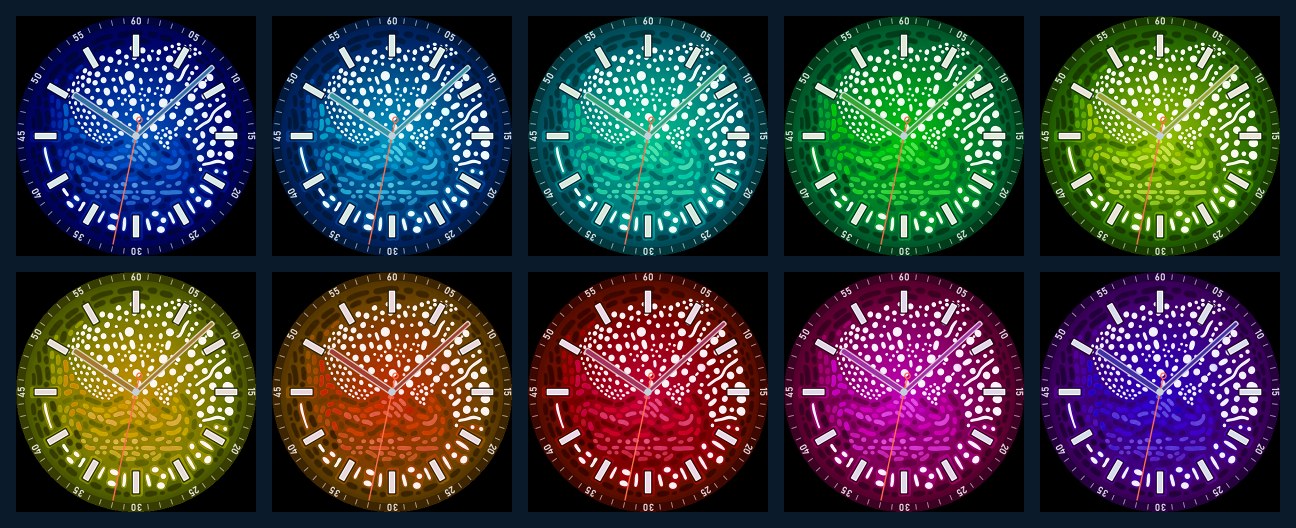
10 color themes
Deep sea, blue, cyan, green, lime, yellow, orange, red, magenta and violet. You can change the theme in the watch face settings on your watch.
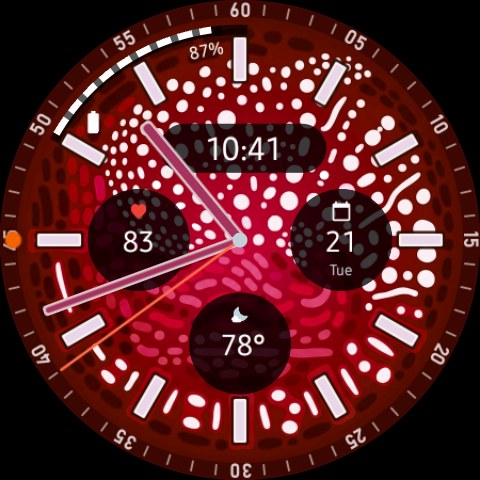
Complications
There are 4 slots. Three sit at 3, 6 and 9 o’clock and can show heart rate, the date, the weather or whatever else your watch offers. The fourth is an arc along the upper left of the dial, which works well for something like battery level.
Whale shark watch face details
- Analog hands, with a counterweight on the seconds hand
- Optional digital time at 12 o’clock
- No ads and no data collected
Compatibility
Needs Wear OS 5 or newer. I built and tested it on my Samsung Galaxy Watch Ultra.
How to install
Install it from the Play Store on your watch. You can also open the Google Play link on a computer and pick your watch as the device. The Play Store on your phone might say it isn’t compatible, which is normal for watch faces.
$1.49 on Google Play.
More watch faces on my Apps page and on Google Play.